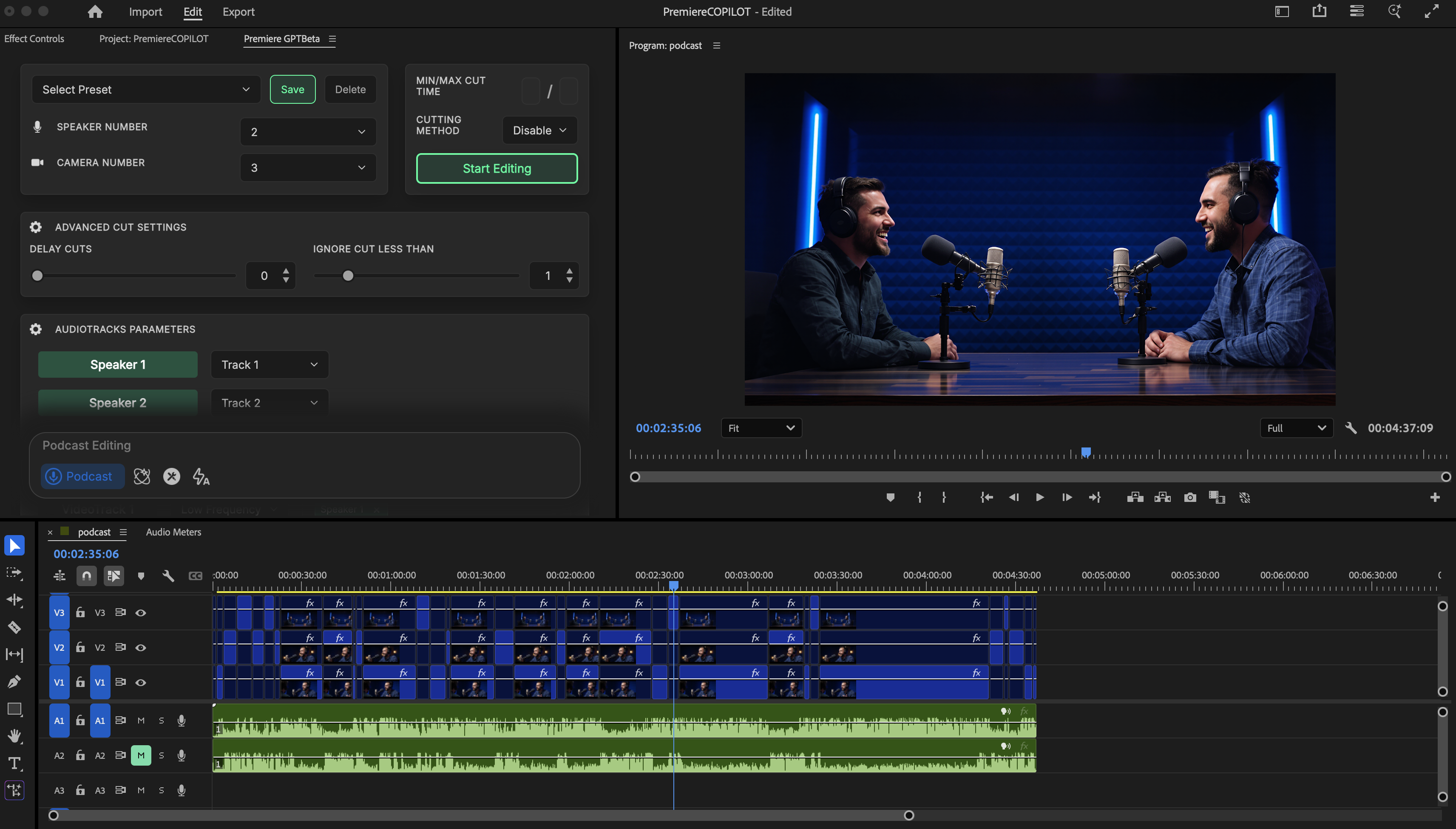
Automatically cut a synchronized multicamera podcast by following the active speaker.
Podcast automatically edits a synchronized multicamera conversation by detecting who is speaking and selecting an appropriate camera for each moment.The preparation matters more than any setting. Build a clean synchronized sequence before running the tool.
A camera can be assigned to one speaker, several speakers, or all speakers. Use this to describe close-ups, two-shots, and wide shots. The frequency setting controls how often that camera may be selected relative to the others.
Assign wide shots to every visible speaker and give them a lower frequency than close-ups. They will then act as occasional breathing shots instead of replacing the main coverage.
A full mix on every audio track prevents reliable speaker detection.
The wrong speaker assigned to a track produces camera changes for the wrong person.
A camera with no speaker assigned cannot be selected meaningfully.
Very short shot limits create a nervous edit; increase Ignore Small or Min Cut.
Editing during processing can invalidate synchronization and cut positions.
Start with Disable Clips, moderate smoothing, and conservative camera frequencies. Review the generated edit once, then adjust only the few cuts that do not match your editorial intention.