> ## Documentation Index
> Fetch the complete documentation index at: https://docs.premierecopilot.com/llms.txt
> Use this file to discover all available pages before exploring further.
# Multicam Podcast Editing
> Automatically edit multicam podcasts with AI.
Access this feature by clicking the **Microphone icon** (bottom left) in the extension.
## Timeline Setup (Crucial)
**Timeline Rules:**
* **Audio Tracks:** You must have the **exact same number of audio tracks as speakers**. (e.g., 2 Speakers = 2 Audio Tracks). Deviating from this will cause bugs.
* **Sync:** Ensure all audio and video tracks are synchronized before starting.
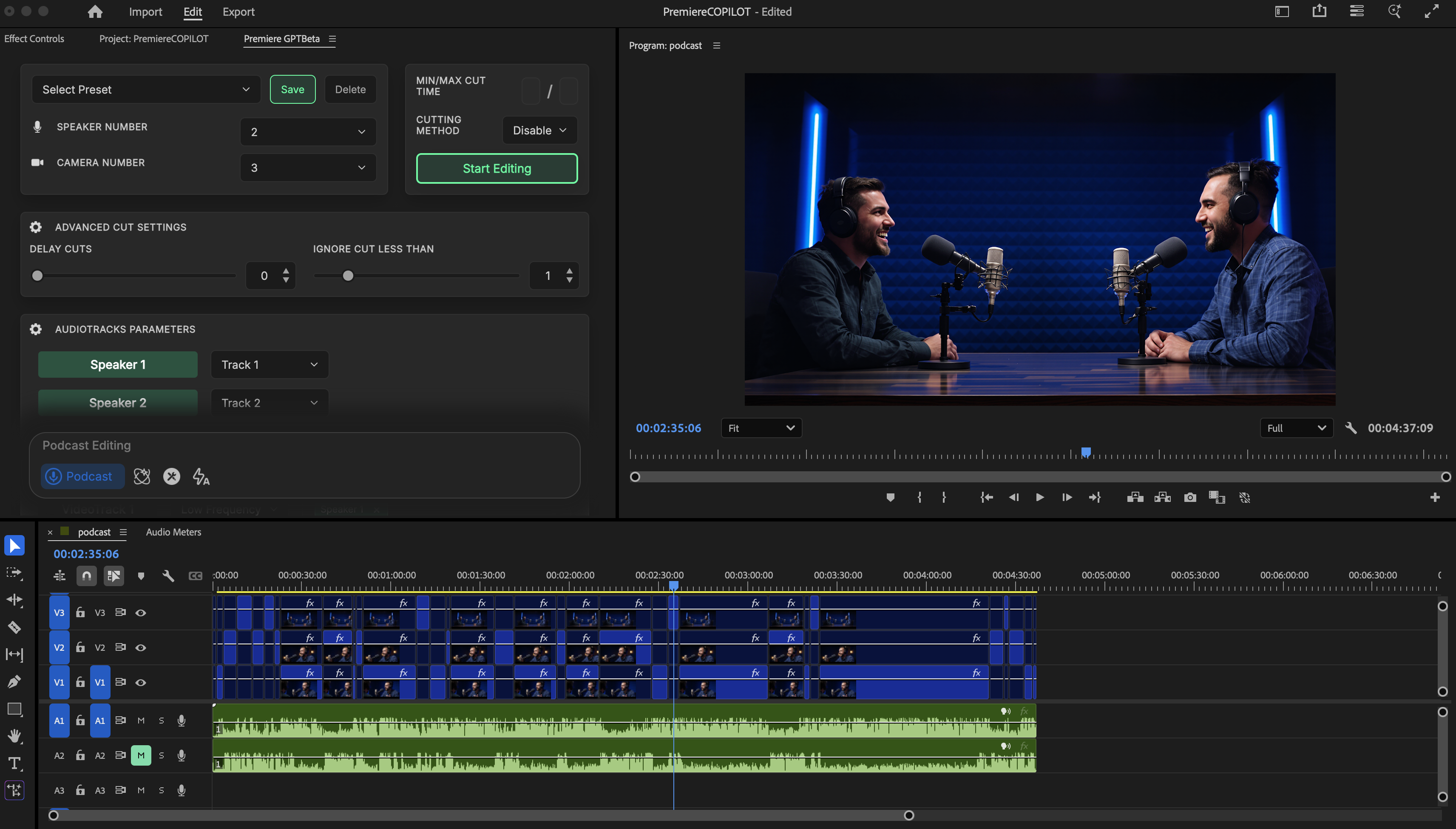 ## Configuration
Match this to the number of video tracks.
* Name your speakers (e.g., Click "Speaker 1" to rename).
* Assign speakers to specific tracks (Default: Speaker 1 on Track 1).
* Define speaker locations on tracks.
* **Frequency Control:** Set how often a track appears (High/Low frequency).
* **Wide Shots:** The algorithm balances wide shots based on their assigned frequency. If multiple wide shots exist, it weighs them according to your settings.
## Advanced Settings
* **Delay Cut:** Shifts all cuts by X milliseconds/frames.
* **Ignore Cut Less Than:** Ignores cuts that result in clips that are too short.
* **Cutting Method:**
* *Disable:* Deactivates unused clips.
* *Cut:* Removes unused clips (Classic method).
* *Audio:* Marks cuts on audio tracks as well.
## Execution
Click **"Start Editing"**. Initialization may take \~10 seconds. A backup of your sequence is automatically created.
## Configuration
Match this to the number of video tracks.
* Name your speakers (e.g., Click "Speaker 1" to rename).
* Assign speakers to specific tracks (Default: Speaker 1 on Track 1).
* Define speaker locations on tracks.
* **Frequency Control:** Set how often a track appears (High/Low frequency).
* **Wide Shots:** The algorithm balances wide shots based on their assigned frequency. If multiple wide shots exist, it weighs them according to your settings.
## Advanced Settings
* **Delay Cut:** Shifts all cuts by X milliseconds/frames.
* **Ignore Cut Less Than:** Ignores cuts that result in clips that are too short.
* **Cutting Method:**
* *Disable:* Deactivates unused clips.
* *Cut:* Removes unused clips (Classic method).
* *Audio:* Marks cuts on audio tracks as well.
## Execution
Click **"Start Editing"**. Initialization may take \~10 seconds. A backup of your sequence is automatically created.